
Reversi 1.1.0 Released
30/12/2008 12:00
An updated version of my Reversi game is now available.
The changes in this version are:
- Added a menu item to immediately start a new game with unchanged settings.
- The position of the board (spin and tilt) can be locked in place.
- The spin and tilt settings are now saved between sessions, so you can position the board how you like it, and it will stay that way.
- Added a preference for faster piece flipping animation.
- The board is drawn larger to better fill the window.
Download the new version of Reversi here.
- Added a menu item to immediately start a new game with unchanged settings.
- The position of the board (spin and tilt) can be locked in place.
- The spin and tilt settings are now saved between sessions, so you can position the board how you like it, and it will stay that way.
- Added a preference for faster piece flipping animation.
- The board is drawn larger to better fill the window.
Download the new version of Reversi here.
Reversi 1.0.0 Released
06/09/2008 19:37
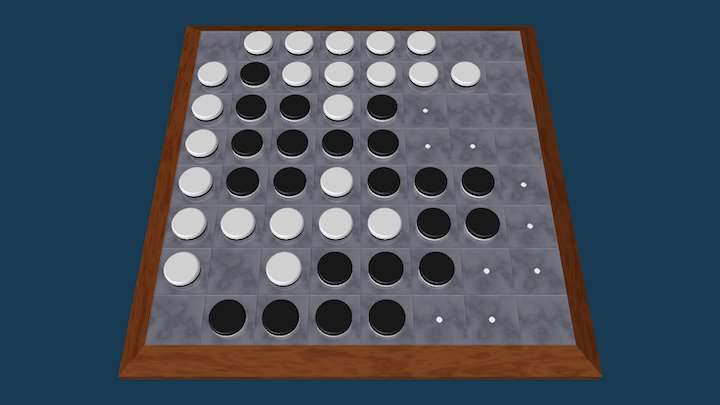
My next game for OS X is now available. Reversi is a
fully 3D rendered version of the classic board game.
The AI is strong (with five skill levels) and it plays
quickly. Or if you prefer, you can play against a
friend. Reversi requires OS X 10.3.9 or later, and
works on both Intel and PowerPC Macs. And it’s free!
Take a look at Reversi here.
Coblyn 2.1.0 Released
20/07/2008 14:20
A new version of Coblyn is available. The main changes
are:
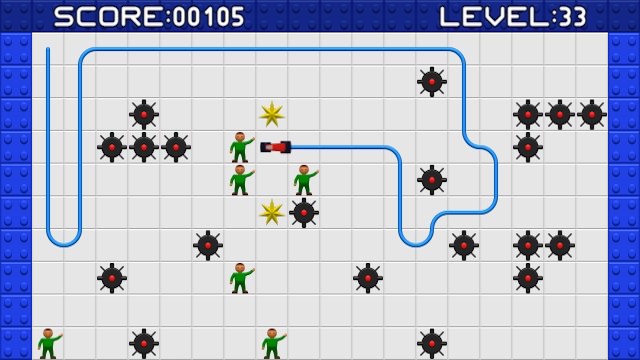
- Coblyn now records high scores. For each level it remembers the most diamonds you have collected, and the fastest you have completed the level. It also records all your actions while playing the levels, so you can replay them later.
- Pressing Command-Return at any time will toggle between full-screen and windowed modes.
- Pressing Command-Q while in full-screen mode will quit the game (it always worked when windowed).
Download the new version of Coblyn here.
I’ve also started work on my next game, so stay tuned!
- Coblyn now records high scores. For each level it remembers the most diamonds you have collected, and the fastest you have completed the level. It also records all your actions while playing the levels, so you can replay them later.
- Pressing Command-Return at any time will toggle between full-screen and windowed modes.
- Pressing Command-Q while in full-screen mode will quit the game (it always worked when windowed).
Download the new version of Coblyn here.
I’ve also started work on my next game, so stay tuned!
Coblyn Released
19/06/2008 21:12
My new game for OS X is now available for download!
Take a look at Coblyn here. It requires OS X 10.3.9
or later, with both Intel and PowerPC Macs
supported. Best of all, Coblyn is freeware.
Coming Soon: Coblyn
14/06/2008 12:19
My website has been been rather quiet recently, but I
haven’t been idle. One of my projects is now almost
ready for release: a new game for OS X called Coblyn.
This will be the first software for OS X I’ve released,
and also my first using OpenGL.
There are some screenshots on Coblyn’s page to whet your appetite
Coblyn should be released in about a week, barring any last-minute problems.
There are some screenshots on Coblyn’s page to whet your appetite
Coblyn should be released in about a week, barring any last-minute problems.